Introduction:
Microcontrollers are essential in the world of electronics, providing students with the tools to build everything from simple circuits to advanced projects.
As a student, choosing the best budget microcontrollers for students can save you time, money, and frustration. This guide explores the best options available in 2026 to help you make an informed decision for your next project.
What Is a Microcontroller and Why Should Students Use Them?
A microcontroller is a small computer on a chip that can control various devices in embedded systems. It integrates a processor, memory, and peripherals all on one chip, making it ideal for controlling sensors, motors, and more. For students, microcontrollers are an invaluable tool for learning programming, electronics, and building real-world projects.
Choosing the best budget microcontrollers for students allows you to gain hands-on experience without worrying about overspending on expensive options. These affordable microcontrollers enable you to explore IoT, robotics, automation, and other creative student projects.
Top Budget Microcontrollers for Students
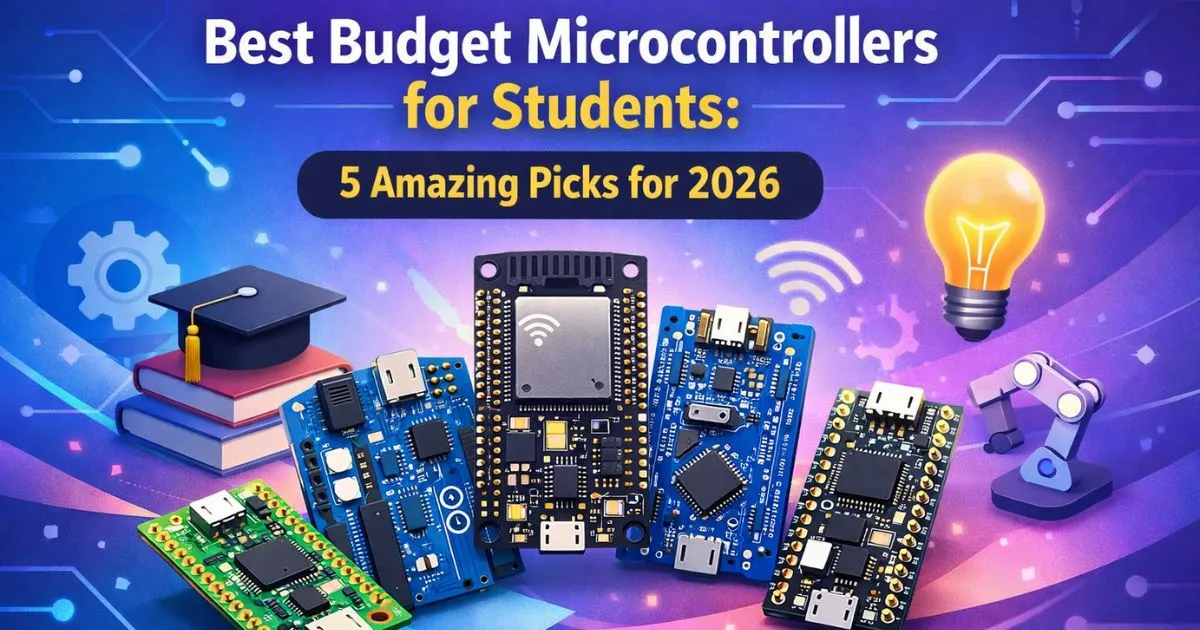
Here are the top budget microcontrollers for students, each providing different features depending on your project needs and skill level.
Arduino Uno
Best For: Beginners, simple electronics projects
Price: $5–$15
The Arduino Uno is a popular entry-level microcontroller. It’s perfect for students who are just starting with electronics, offering simplicity and a large community of users.
Pros:
Extensive tutorials and support
Easy-to-use software and programming environment
Compatible with a variety of sensors and components
Cons:
Limited processing power for complex projects
Basic features compared to other options
The Arduino Uno remains one of the best budget microcontrollers for students due to its affordability and ease of use, making it ideal for beginners looking to get started in electronics.
ESP32
Best For: IoT projects, intermediate users
Price: $4–$12
The ESP32 is a great choice for students who want to dive into IoT projects. With built-in Wi-Fi and Bluetooth, it’s perfect for creating connected devices like smart home gadgets.
Pros:
Built-in Wi-Fi and Bluetooth
Higher processing power than Arduino
Versatile and affordable
Cons:
Slightly steeper learning curve
Can consume more power than simpler microcontrollers
The ESP32 is also one of the most affordable budget microcontrollers for students interested in creating Internet of Things (IoT) devices.
Raspberry Pi Pico
Best For: Embedded systems, low-power applications
Price: $3–$6
The Raspberry Pi Pico is a low-cost microcontroller that uses the RP2040 chip. It’s designed for embedded systems and is perfect for students who want to work on low-power projects.
Pros:
Extremely affordable
Great for low-power applications
Good for real-time systems
Cons:
Lacks built-in Wi-Fi and Bluetooth (although additional modules are available)
Less memory and processing power compared to others
As one of the best budget microcontrollers for students, the Raspberry Pi Pico is a great option for projects that need efficiency and low-power performance.
STM32 Blue Pill
Best For: Advanced students, high-performance projects
Price: $2–$5
The STM32 Blue Pill offers more processing power and memory, making it suitable for complex systems and real-time applications.
Pros:
High performance at a low cost
More memory and processing speed
Great for advanced projects
Cons:
More difficult to use, especially for beginners
Requires additional setup and tools
For those who need advanced microcontroller capabilities on a budget, the STM32 Blue Pill is among the best budget microcontrollers for students looking to take their projects to the next level.
Teensy 4.0
Best For: Real-time audio projects, advanced robotics
Price: $19–$25
The Teensy 4.0 offers excellent processing power, making it perfect for applications that require high performance, such as audio processing or real-time systems.
Pros:
Extremely fast (600 MHz clock speed)
Large memory capacity (1MB RAM)
Perfect for audio and real-time applications
Cons:
Higher price compared to others
More complex setup for beginners
The Teensy 4.0 is a powerful choice among the best budget microcontrollers for students, especially for advanced projects that require quick processing and high memory.
How to Choose the Right Microcontroller for Your Student Project
When selecting the best budget microcontroller for students, consider these factors:
Project Type: Choose a microcontroller based on your project’s requirements. For IoT, go with the ESP32. For real-time applications, consider Teensy or STM32.
Skill Level: Beginners should start with Arduino Uno or Raspberry Pi Pico. More advanced users can look into ESP32 or STM32 for complex projects.
Budget: Stay within your budget but remember that a slightly more expensive microcontroller may provide more versatility and future-proofing.
Community Support: Opt for a microcontroller with a large community to ensure ample tutorials and support.
By selecting the best budget microcontroller for students, you can ensure your project is both successful and cost-effective.
Common Mistakes When Choosing a Microcontroller
Overlooking Power Consumption: If you’re building a battery-powered project, consider power consumption. The ESP32 may not be ideal for such cases due to its higher power demands.
Choosing Overpowered Microcontrollers: Don’t overspend on a microcontroller that offers more power than you need.
Ignoring Compatibility: Ensure the microcontroller you choose is compatible with the sensors and components you plan to use.
Use Cases and Best Applications for Students
Arduino Uno: Ideal for learning programming and building beginner projects like basic robotics or LED circuits.
ESP32: Best for IoT projects, smart home devices, and wireless communication.
Raspberry Pi Pico: Great for embedded systems, low-power electronics, and real-time applications.
STM32 Blue Pill: Suitable for performance-demanding applications, including real-time control and complex systems.
Teensy 4.0: Perfect for audio processing, robotics, and real-time control systems.
Buying Guide: Where to Buy & Local Availability
Online Stores: Websites like Amazon, eBay, and AliExpress often carry budget microcontrollers for students at competitive prices. Check reviews to ensure product quality.
Local Electronics Stores: If you prefer shopping in person, visit your local electronics stores or university shops for deals on microcontrollers.
University Stores: Some universities sell microcontrollers and other electronics at discounted rates for students.
Pricing Breakdown for Microcontrollers
| Microcontroller | Price Range | Best Use Case |
|---|---|---|
| Arduino Uno | $5-$15 | Beginners, basic projects |
| ESP32 | $4-$12 | IoT, Bluetooth, Wi-Fi |
| Raspberry Pi Pico | $3-$6 | Low-power embedded systems |
| STM32 Blue Pill | $2-$5 | Advanced users, high performance |
| Teensy 4.0 | $19-$25 | Real-time audio, complex projects |
Entity Glossary
Microcontroller (MCU): A compact integrated circuit that controls embedded systems.
IoT (Internet of Things): The network of interconnected devices that can exchange data.
ARM Cortex-M: A family of microprocessor cores used in microcontrollers for low-power applications.
FAQs
What is the best microcontroller for beginners?
The Arduino Uno is ideal for beginners because of its ease of use and extensive support community.How do I choose the best microcontroller for my project?
Consider the project’s requirements, your skill level, and budget when choosing a microcontroller.What are the advantages of STM32 over Arduino?
STM32 offers better processing power and more memory, making it suitable for more advanced projects.Can I use ESP32 for IoT projects?
Yes, the ESP32 is perfect for IoT projects thanks to its built-in Wi-Fi and Bluetooth.How much does the Raspberry Pi Pico cost?
The Raspberry Pi Pico is an affordable option, typically priced around $3 to $6.Which microcontroller is best for real-time applications?
Teensy 4.0 is the best choice for real-time applications due to its high processing power.What’s the best microcontroller for student robotics projects?
Arduino Uno is ideal for basic robotics projects, but for more advanced needs, consider the ESP32 or Teensy 4.0.
Conclusion
Choosing the best budget microcontroller for students is crucial for your success in electronics projects. Whether you’re a beginner or an advanced student, there are great options like the Arduino Uno, ESP32, and Raspberry Pi Pico. Always consider the project’s requirements, your budget, and the microcontroller’s capabilities to ensure you’re making the right decision.
With the right microcontroller, you can build everything from simple robots to complex IoT systems. Start your journey today by selecting the perfect microcontroller for your next project.