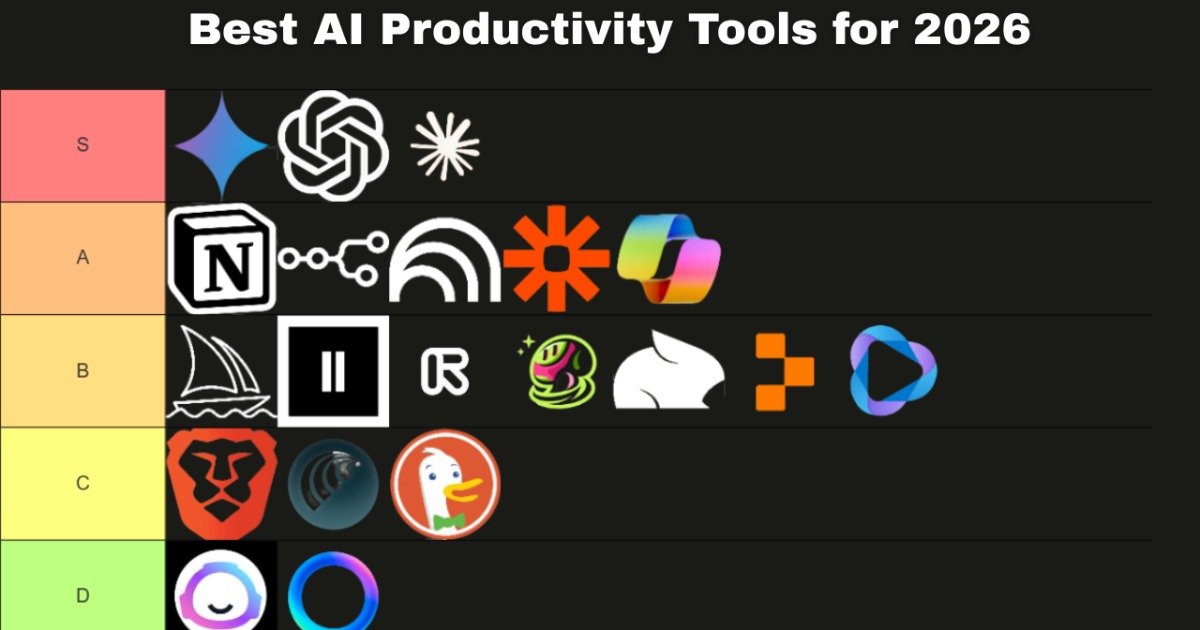
Meta Description: Maximize your efficiency with the best AI productivity apps for Android in 2026. Explore on-device AI, predictive scheduling, and system-level assistants.
The mobile productivity landscape has shifted. In 2026, we have moved beyond simple chatbots that answer questions to “Agentic AI”—apps that don’t just tell you what to do but actually execute tasks across your Android ecosystem. With the advent of Android 16 and 17, and the widespread integration of Neural Processing Units (NPUs) in mobile chipsets, the best AI productivity apps for Android are now faster, more private, and deeply integrated into the OS.
Whether you are a professional managing global teams, a student tackling complex research, or a neurodivergent individual seeking to reduce cognitive load, the right AI stack can reclaim hours of your week. This guide breaks down the essential tools for 2026, focusing on real-world utility, hardware optimization, and the critical “AI Assistant Swap.”
1. The Power Players: Integrated AI Assistants
The first step in any 2026 productivity setup is choosing your primary system assistant. This choice dictates how well your phone “understands” your local files, emails, and apps.
Google Gemini: The Native Powerhouse
Google Gemini has officially superseded Google Assistant as the default intelligence layer for Android. Its primary strength is “Contextual Awareness.” Because it lives at the system level, it can read your screen to summarize a long PDF in Chrome or extract flight details from a Gmail thread to create a Calendar event instantly.
-
Who it’s for: Users deeply embedded in the Google Workspace (Docs, Drive, Gmail).
-
Best Feature: “Gemini Live” allows for hands-free, back-and-forth brainstorming while you’re commuting or multitasking.
-
How to Switch: Navigate to Settings > Google > Settings for Google Apps > Search, Assistant & Voice > Digital Assistants from Google and select Gemini.
Microsoft Copilot: The Enterprise Choice
If your workflow revolves around Word, Excel, and Outlook, Microsoft Copilot is the superior choice. It leverages GPT-4o and DALL-E 3 to provide a multimodal experience.
-
Who it’s for: B2B professionals and corporate power users.
-
Best Feature: The ability to generate complex Excel formulas or PowerPoint outlines via simple voice prompts on your mobile device.
2. Predictive Scheduling: The End of Manual Calendaring
One of the biggest “Topical Gaps” in previous years was the failure to account for “Time Blindness” and scheduling friction. In 2026, AI doesn’t just hold your appointments; it builds your life.
Motion: The AI Personal Assistant
Motion remains the industry leader for Predictive Scheduling. Unlike a static calendar, Motion uses an algorithm to “rebuild” your day every time a meeting is added or a task is missed.
-
How it works: You give Motion a task (e.g., “Draft Project Proposal”), an estimated duration (2 hours), and a deadline. The AI finds the best “Deep Work” blocks in your schedule, considering your energy levels and existing meetings.
-
Pricing: Approximately $19/month for individuals, but the ROI is measured in the estimated 10+ hours saved weekly on manual planning.
Reclaim.ai
Reclaim.ai excels at balancing “Habits” with “Tasks.” It integrates with your Android calendar to ensure your gym sessions or lunch breaks aren’t overwritten by aggressive meeting invites.
| Feature | Motion | Reclaim.ai |
| Primary Goal | Automated task/project scheduling | Habit-tracking & meeting optimization |
| Android Integration | High (Native Widget & Notifications) | High (Syncs with Google Calendar) |
| Pricing | $19/mo (Pro) | Starts at $10/mo |
3. Knowledge Management & AI Note-Taking:AI Productivity Apps for Android
In 2026, note-taking is no longer about storage; it’s about retrieval.
Perplexity AI: The “Answer Engine”
Traditional search is dead for researchers. Perplexity AI functions as a conversational search engine that provides cited, verified answers. On Android, its “Deep Research” feature can consult over 40 sources and produce a 1,300-word report in minutes.
-
Expert Warning: While Perplexity is highly accurate, always check the “Citations” to avoid AI hallucinations in high-stakes professional environments.
Notion AI
Notion AI has evolved into a “Second Brain.” It can now search across all your integrated apps (Slack, Jira, Drive) to answer questions like, “What did the team decide on the Q3 budget?”
4. Specialized Tools for Neurodiversity
A significant advancement in 2026 is the rise of AI tools designed for neurodivergent adults (ADHD, Autism, Dyslexia). These apps address the “Executive Function” gap.
-
Neurolist: This app is a game-changer for “ADHD Task Paralysis.” You can “brain dump” a chaotic list of thoughts, and its AI will categorize them, estimate the time required for each, and break them into tiny, non-threatening steps.
-
Goblin.tools: A suite of small AI tools that help you adjust the “tone” of your messages (to avoid sounding too blunt) or break down complex instructions into a “Magic To-Do” list.
5. The Privacy Debate: On-Device vs. Cloud AI
A common “User Fear” is the security of personal data processed by AI. In 2026, Android users must choose between two processing models:
-
Cloud AI (e.g., ChatGPT, Copilot): Uses massive remote servers. It is incredibly powerful but requires an internet connection and carries a higher privacy risk.
-
On-Device AI (e.g., Gemini Nano, Tasker AI): Uses your phone’s NPU. It works offline, is significantly faster, and your data never leaves the device.
Pro Tip: If you are handling sensitive legal or medical data, prioritize apps that offer On-Device processing or SOC2 compliance.
6. Workflow Recipes: Setting Up Your Stack
To avoid “Feature Overwhelm,” don’t install everything. Match your stack to your persona:
The “Creative Freelancer” Stack
-
Primary AI: ChatGPT Plus (for brainstorming and image gen).
-
Organization: Notion AI (for project tracking).
-
Efficiency: Grammarly Go (for client communication).
The “Corporate Manager” Stack
-
Primary AI: Microsoft Copilot (for Office 365).
-
Organization: Motion (for team capacity planning).
-
Efficiency: Otter.ai (for automated meeting transcription).
The “Student / Researcher” Stack
-
Primary AI: Perplexity Pro (for cited research).
-
Organization: TickTick (for simple task management).
-
Efficiency: Socratic by Google (for step-by-step problem solving).
7. How to Optimize Your Android Hardware for AI
Running these advanced tools requires more than just a software update.
-
NPU Optimization: Ensure “AI Power Management” is enabled in your Android settings to prevent background AI tasks from killing your battery.
-
Edge Panels & Widgets: Most 2026 AI apps offer “Floating Action Buttons” or Edge Panel shortcuts. Use these to trigger AI summaries without opening the full app.
-
Voice Match: Train your voice model in a quiet room to ensure Gemini or Copilot can hear you over background noise in busy cities like London or New York.
Frequently Asked Questions (FAQs)
1. Which AI app is best for summarizing PDFs on Android?
Google Gemini is currently the best for this. You can open a PDF in the Google Drive app and simply ask the Gemini overlay to “Summarize this document” or “Find the key dates in this contract.”
2. How do I replace Google Assistant with Gemini?
Download the Gemini app from the Play Store. Once opened, it will prompt you to switch. If it doesn’t, go to Settings > Apps > Default Apps > Digital Assistant App and select Google (Gemini).
3. Is ChatGPT better than Microsoft Copilot for Android?
ChatGPT is generally better for creative writing and open-ended “reasoning.” Microsoft Copilot is superior for productivity because it integrates directly with Word, Excel, and Outlook.
4. What is the best free AI productivity app for Android?
The free version of Google Gemini provides the most utility without a subscription, offering web search, email drafting, and system control at no cost.
5. Do these apps work offline?
Most high-end LLM apps require an internet connection. However, on-device models like Gemini Nano (available on Pixel and Samsung flagship devices) can perform basic summarization and smart replies offline.
6. How can AI help with ADHD on Android?
Apps like Neurolist and Motion are specifically designed to combat “time blindness” and “task paralysis” by breaking down goals and automatically scheduling work blocks based on deadlines.
7. Are AI productivity apps safe for work data?
Enterprise-grade apps like Microsoft Copilot Pro and Notion AI offer data protection where your inputs are not used to train the global model. Always check for “Enterprise Data Protection” in the app settings.
Conclusion
The “best” AI app for you in 2026 depends entirely on your specific bottlenecks. If your calendar is a mess, Motion is your priority. If you spend too much time researching, Perplexity will change your life.
The era of manual productivity is over. By leveraging the agentic workflows and NPU optimization available on modern Android devices, you aren’t just working harder—you’re working with a digital partner that understands your context, protects your time, and executes your vision. Start by swapping your legacy assistant for Gemini today, and build your stack from there.